Account, addresses, and track order
Signed-in customers manage orders and delivery addresses under Your account. Guests can still track an order with order ID + email.
Sign in and register
| Page | Path | Actions |
|---|---|---|
| Sign in | /account/login | Email, Password, Forgot password?, Sign in / Signing in..., link Create account |
| Create account | /account/register | Full name, Email, Mobile (optional), Password (Min 6 characters), Create account / Creating account... |
| Forgot password | /account/forgot-password | Send reset link |
| Reset password | /account/reset-password | Token from email link |
Login and register accept ?next= (for example back to checkout). Header guest control opens Sign in; signed-in dropdown: My orders, Addresses, Sign out.
/account redirects to /account/orders.
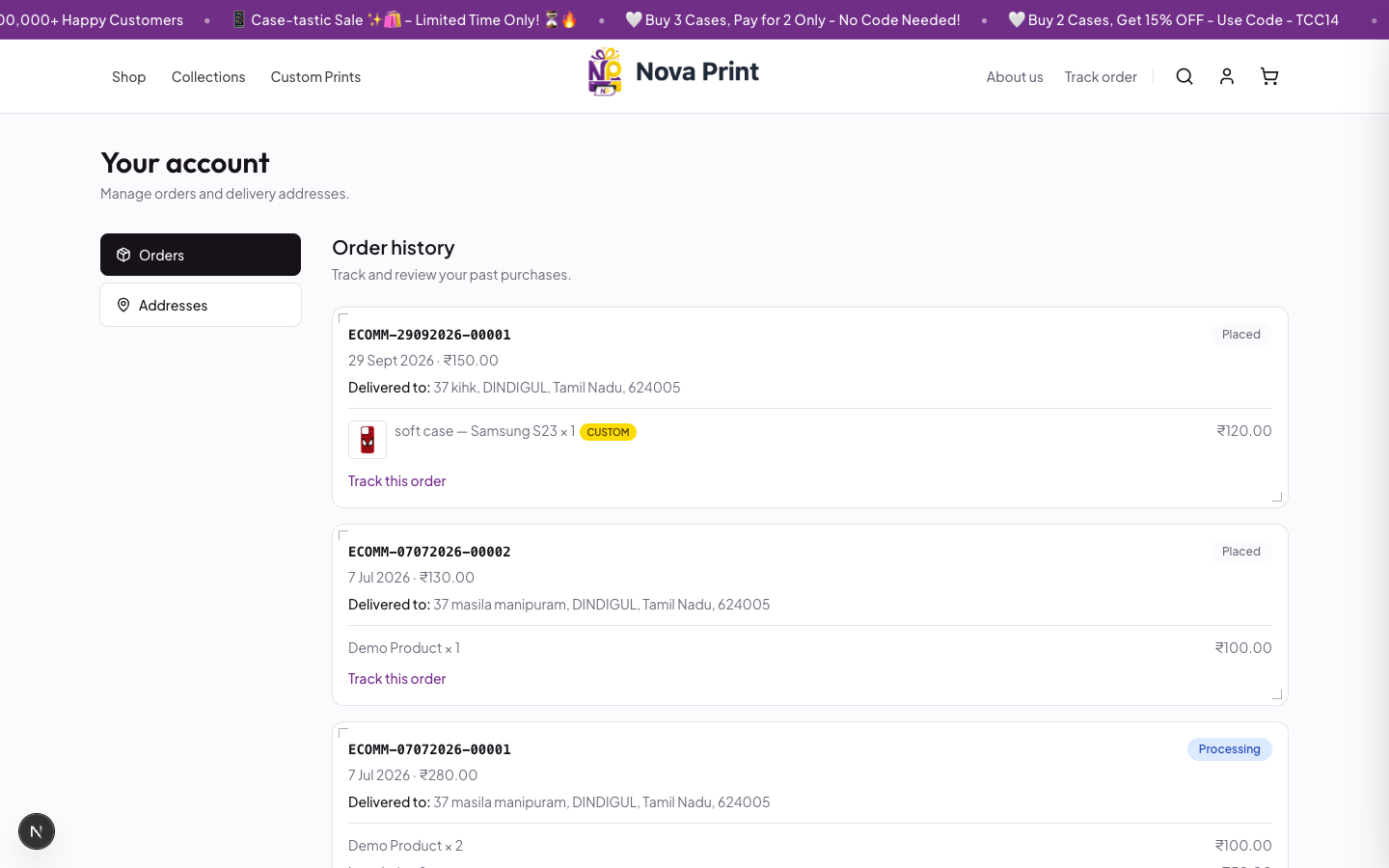
Orders (/account/orders)
Protected account shell: Your account — Manage orders and delivery addresses. Sidebar: Orders, Addresses.
- Open My orders or
/account/orders. - Order history — Track and review your past purchases.
- Each order shows
order_id, status badge (Pending, Processing, Shipped, Delivered, Cancelled — as returned by the API), date, total, Delivered to:, Tracking ID: (when set), line items (Custom badge when applicable). - Click Track this order to open
/track-order?order_id=…&email=….
Exact status wording beyond these labels: Verify in UI against live orders.
Addresses (/account/addresses)
- Open Addresses.
- Click Add address or Add your first address.
- Fill the form:
- Optional Label (placeholder Home, Office...)
- Same required address/mobile fields as checkout
- Optional Set as default address
- Save address or Cancel.
- On a saved card: Set default, edit, or delete (confirm Delete this address?).
Saved addresses appear at checkout under Deliver to.
Track order (guest or signed-in)
Route: /track-order (also linked from the header utility bar and footer).
- Open Track your order — Enter your order ID and the email used at checkout.
- Enter Order ID (placeholder example
e.g. ECOMM-17072026-00023) and Email. - Click Track order / Looking up....
- Review status, address, Tracking ID:, items, and totals when found.
Email may pre-fill from your account or from the email stored after a previous checkout. Order ID can pre-fill from the query string (including links from Track this order on the success page or account orders).