Apps and URLs
Nova Print runs as several frontends that share one API. Use the table that matches your environment.
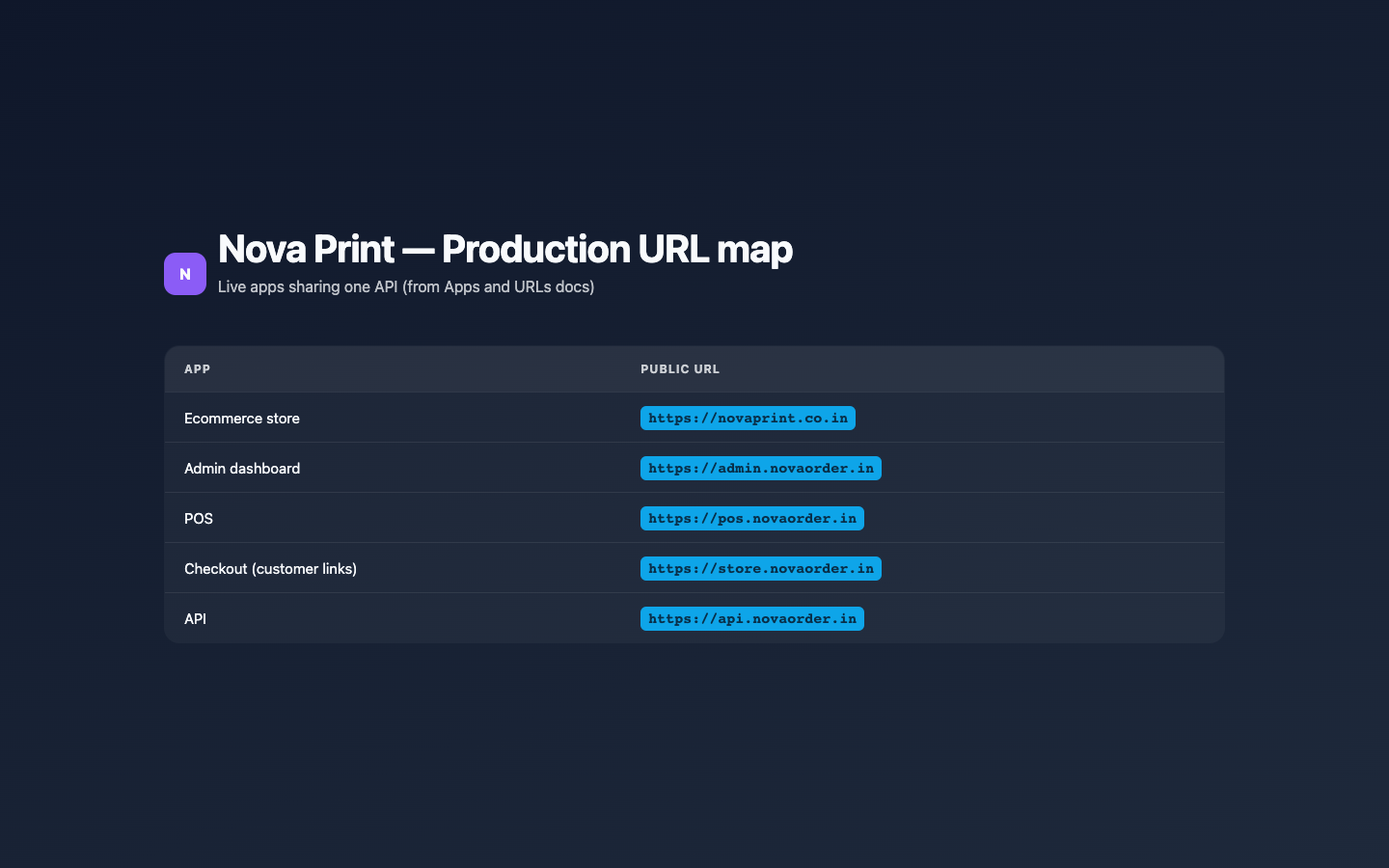
Production
| App | Folder (repo) | Public URL |
|---|---|---|
| Ecommerce store | frontend-ecommerce | https://novaprint.co.in |
| Admin dashboard | frontend-admin-dashboard | https://admin.novaorder.in |
| POS | frontend-pos | https://pos.novaorder.in |
| Checkout (customer links) | printbazar-checkout | https://store.novaorder.in |
| API | backend-main | https://api.novaorder.in |
Sources: docs/DEPLOYMENT.md and production env examples.
Important URL shapes
- Customer (shared) checkout link:
https://store.novaorder.in/{pos-slug}/{link-code}
Opened in the Checkout app. Staff create these from POS as Customer Link. - Catalog link:
https://pos.novaorder.in/{pos-slug}/catalog/{link-code}
Served by the POS app’s public catalog routes (browse → checkout steps). Staff create these from POS as Catalog Link. - POS terminal:
https://pos.novaorder.in/{pos-slug}
Staff unlock with the terminal password (not an Admin username login). - Admin login:
https://admin.novaorder.in/login
Staff username + password (JWT via/api/token/).
Local development (typical ports)
Ports come from each app’s Vite/Next config and the root .env.example:
| App | Command (from that folder) | Typical URL |
|---|---|---|
| Admin | npm run dev | http://localhost:3000 |
| POS | npm run dev | http://localhost:3001 |
| Checkout | npm run dev | http://localhost:3002 |
| Ecommerce | npm run dev | http://localhost:3003 |
| API | python manage.py runserver | http://localhost:8000 (API under /api/) |
Related env keys (examples):
ADMIN_FRONTEND_BASE_URL=http://localhost:3000POS_FRONTEND_BASE_URL=http://localhost:3001CHECKOUT_FRONTEND_BASE_URL=http://localhost:3002ECOMMERCE_FRONTEND_BASE_URL=http://localhost:3003VITE_CHECKOUT_BASE_URL/VITE_API_BASE_URLfor Vite appsNEXT_PUBLIC_API_BASE_URL/NEXT_PUBLIC_SITE_URLfor the store
Local customer-link URLs look like http://localhost:3002/{pos-slug}/{link-code}. Local catalog links use the POS origin, e.g. http://localhost:3001/{pos-slug}/catalog/{link-code}.
Docs site
This documentation site itself defaults to http://localhost:3000 when you run npm start inside documentation/ — that is not the Admin app. Do not confuse the two when both are running; stop one or use different ports if they collide.
Verify in UI
Exact menu labels, copy-link buttons, and which host appears in a copied URL can vary by build env. If a copied link looks wrong (for example still points at localhost in production), check frontend env vars with your operator — do not invent a host.